YabaSanshiro 2 Pro
4.2
YabaSanshiro 2 Pro
devMiyax
4.2
Publisher Country
US
Country Release Date
2020-10-11
Content Rating
Everyone
Country / Regions
US
Release Details
Screenshots


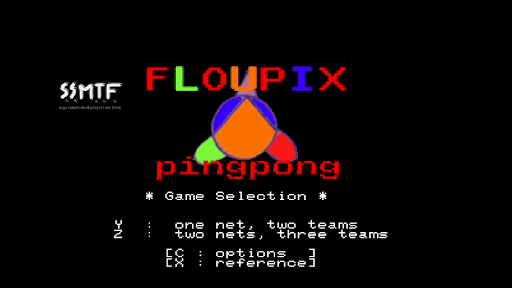
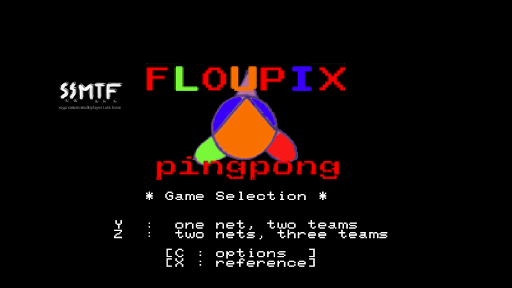

Introduction
‘Yaba Sanshiro’ is implemented Sega Saturn’s hardware with software, and you can play SEGA Saturn’s game on Android devices.
For copyright protection, ‘Yaba Sanshiro’ does not include BIOS data and game. you can play your own game with these following instructions.
1. Create an ISO image file from game CD( using InfraRecorder or something )
2. Copy the file to /sdcard/yabause/games/( /sdcard/Android/data/org.devmiyax.yabasanshioro2.pro/files/yabause/games/ on Android 10 or above)
3. Start up ‘Yaba Sanshiro’
4. Tap the game icon
Due to Scoped Storage specification. Android 10 or above devices
* Game file folder is changed from “/sdcard/yabause/games/” to “/sdcard/Android/data/org.devmiyax.yabasanshioro2.pro/files/yabause/games/”
* Game files, Save data, State data are removed when app is uninstalled
* Storage Access Framework is used when you select menu “Load Game”
In addition to the normal play, these functions are available.
* Higher resolution polygons using OpenGL ES 3.0.
* Extended internal backup memory from 32KB to 8MB.
* Copy backup data and state save data to your private cloud and share other devices
For more detail check our web site.
http://www.uoyabause.org/static_pages/guide
Emulating hardware is really hard. ‘Yaba Sanshiro’ is not so perfect. You can check the current compatibility here.
http://www.uoyabause.org/games
And You can report issues and complatibility information to developers using in game menu ‘Report’.
‘Yaba Sanshiro’ is based on yabause and provided under the GPL license. you can obtain source code from here.
https://github.com/devmiyax/yabause
‘Sega Saturn’ is the registered trademark of SEGA co.,ltd not mine.
Before install, please read this EULA(http://www.uoyabause.org/static_pages/eula.html)
Privacy Policy(https://www.uoyabause.org/static_pages/privacy_policy)
FeaturedReviews
By Lee Swain
2025-02-10
Version 1.16.5-PRO
BugsLove itThe app is fantastic but there is a HUGE issue that seems to have no fix.. Whenever I press any controller button, the screen dims, only fix is to open and close the menu but as soon as I press a button again, it dims again! Hope there is a fix because it spoils what is otherwise a brilliant Saturn emulation option. The up-scaling and speed are superb and other than some games crashing when you use save states it's really compatible. Burning Ranger has missing graphics too :(
By Charlie Gamer
2024-10-05
Version 1.15.0-PRO
Feature RequestsUpdatesThis emulator worked perfectly. It even read my external and installed all of my games, but since the update, it will not read my external, and it only scans 5 games. My external do not even show on this version. I'm wondering what is going on with this version, especially after paying for it. Because my devices do not have enough memory to put all of my games directly on the system. Not throwing mud but something needs to be fixed.
By curtis wilson
2022-04-09
Version 1.8.2-PRO
BugsLove itNetworkFix Primal Rage, and a few other games, and it'll be perfect. I don't care who don't give you credit, it woorks great, and I have a wireless Saturn controller that works flawless, zero lag with Bluetooth, and I got some translated rare games that never made it to North America, plus the Saturn games are crazy expensive, so my OnePlus 9 Pro plays the games perfect on the original console setup, but Shining Force 3 scenario 2 slows down over with usage, so just save, close, open again, and solved.